Automating LinkedIn Lead Generation with n8n
A scheduled n8n workflow that searches for LinkedIn leads via Harvest API, filters them in Google Sheets, and sends the top 10 daily leads to Telegram.
Vitaliy · ilovefiniki.com
This scheduled n8n workflow automates LinkedIn prospecting. It runs daily, searches for leads via the Harvest API based on queries defined in Google Sheets, scores and deduplicates the results, and delivers the top 10 best leads straight to Telegram.
How It Works
- Check Buffer: Runs daily at 7:30 AM. It checks the
profile_buffersheet. If you have 10+ pending leads, it skips searching to save API credits. - Search: If the buffer is running low, it reads the next unused search query from the
search_configssheet and queries the Harvest API. - Process & Deduplicate: New leads are checked against already-saved profiles to prevent duplicates.
- Score & Send: Leads are scored based on premium status, profile photos, open profiles, and connection counts. The top 10 leads are formatted and sent to Telegram, then marked as
Sentin the sheet.
Google Sheets Setup
To run this workflow, configure a Google Spreadsheet with two tabs:
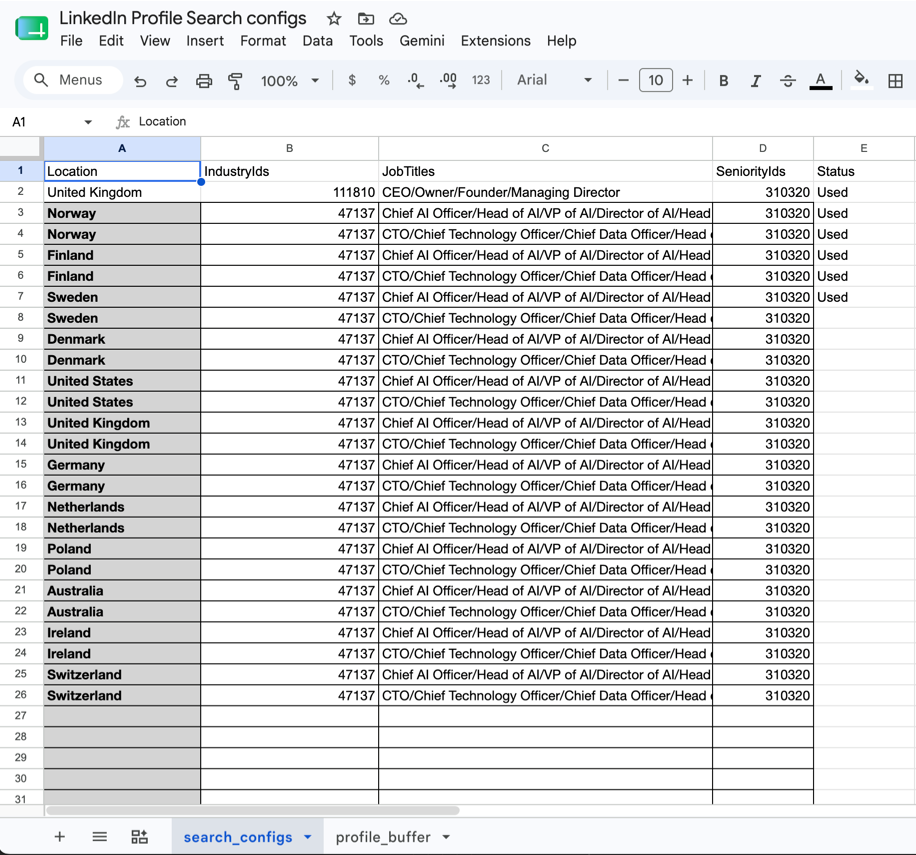
1. search_configs
Define your target search parameters. The workflow processes queries one by one, marking them as Used.
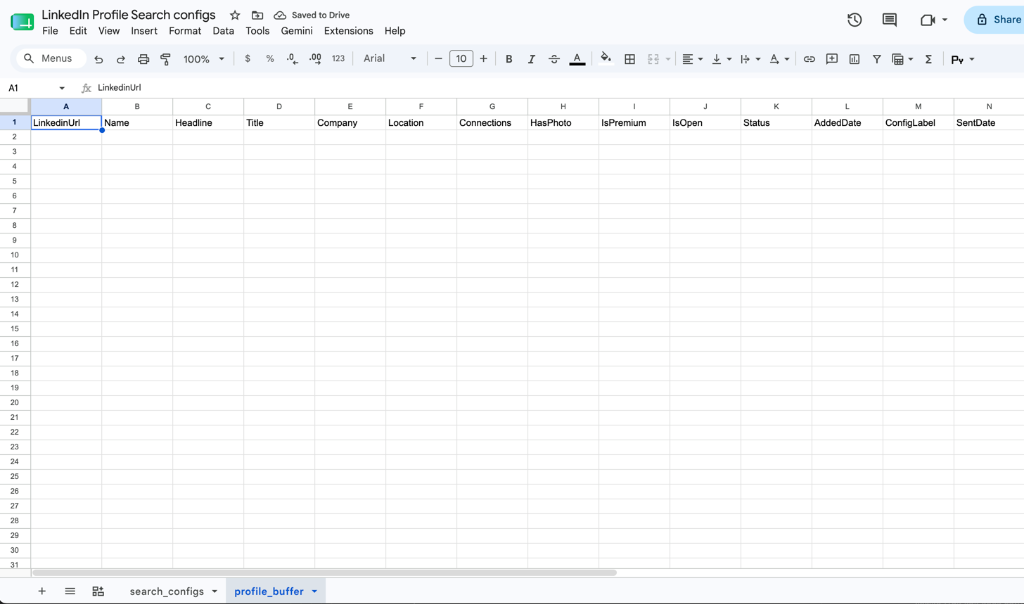
2. profile_buffer
Where newly discovered leads are stored, deduplicated, and tracked.
Need help setting up this workflow or connecting other APIs to your pipeline? Get in touch for a free workflow audit.
Ready to Cut 20+ Hours of Manual Work Per Week?
Book a free 45-minute workflow audit with ilovefiniki.com. Walk away with a clear automation roadmap — no commitment required.